Invoice Gross-Up Guide — How to Calculate the Right Charge Amount
If you invoice clients and accept credit card payments, you already know that processing fees eat into your revenue. But most freelancers and businesses make a simple math error that costs them money on every single invoice. This guide covers the correct gross-up formula so you always receive exactly what you expect.
What Is Invoice Gross-Up and Why Most Freelancers Get It Wrong
Invoice gross-up is the practice of increasing your invoice total so that after payment processing fees are deducted, you receive your desired net amount. If you want $100 in your bank account and the processor charges 2.9% + $0.30, you cannot simply add 2.9% to $100 and call it done. That approach falls short because it fails to account for the fact that the percentage fee applies to the gross amount you charge, not the net amount you want. Most freelancers discover this discrepancy only after checking their bank deposits and realizing they consistently come up short.
The Problem with Simply Adding the Fee
The intuitive but incorrect approach looks like this: you want $100, so you add 2.9% ($2.90) and the $0.30 flat fee, arriving at $103.20. But run the math on what you actually receive. Stripe takes 2.9% of $103.20, which is $2.99, plus the $0.30 flat fee. Total fees: $3.29. Your net: $103.20 − $3.29 = $99.91. You are $0.09 short. That might not sound like much, but on a $5,000 invoice the same mistake leaves you $4.30 short. Over a year of invoicing, those small gaps add up to real money. The error occurs because the percentage fee is calculated on the gross amount, but you calculated the percentage on the net amount. These are two different numbers, and the difference grows as the invoice total increases.
The Gross-Up Formula
The correct formula accounts for both the percentage fee and the flat fee applied to the gross amount:
Gross Amount = (Net Amount + Flat Fee) / (1 - Percentage Rate)Applying this to the same example: you want $100 net with Stripe's 2.9% + $0.30 rate. Gross = ($100 + $0.30) / (1 − 0.029) = $100.30 / 0.971 = $103.30. Stripe takes 2.9% of $103.30 ($3.00) plus $0.30 for a total of $3.30. Your net: $103.30 − $3.30 = $100.00. That extra $0.10 on the invoice amount is the difference between losing money on every transaction and breaking even. The same formula works for any processor and any combination of percentage and flat fees.
Popular Payment Processor Rate Comparison
The three most common processors for freelancers and small businesses are Stripe, PayPal, and Square. All three use a percentage-plus-flat-fee model, but the rates differ slightly:
| Processor | Rate | Flat Fee | $100 Gross-Up | $500 Gross-Up | $1,000 Gross-Up | $5,000 Gross-Up |
|---|---|---|---|---|---|---|
| Stripe | 2.9% | $0.30 | $103.30 | $515.16 | $1,030.18 | $5,150.36 |
| PayPal | 2.9% | $0.30 | $103.30 | $515.16 | $1,030.18 | $5,150.36 |
| Square | 2.6% | $0.10 | $102.77 | $513.21 | $1,026.43 | $5,131.56 |
Stripe and PayPal charge identical rates for US domestic cards. Square charges slightly less — 2.6% + $0.10 — which makes a meaningful difference on larger invoices. On a $5,000 invoice, Square's gross-up saves the client $18.80 compared to Stripe or PayPal. The gross-up amounts shown assume the standard US domestic card rate for each processor. International cards and manually entered transactions carry higher rates.
When to Use Gross-Up
Gross-up is useful in any scenario where you are the one paying the processing fee but want the client to bear the cost transparently. Freelancers charging per project or per hour benefit most because their margins are often thin and every dollar counts. Agencies sending recurring invoices can build gross-up into their standard terms so that net revenue is predictable. SaaS businesses and subscription services use gross-up to ensure that after Stripe or PayPal takes their cut, the remaining amount covers operating costs. Consultants billing for high-value engagements should always gross-up because a single percentage point error on a $10,000 invoice means leaving $290 on the table. If you accept payments through invoicing software, check whether the platform offers automatic gross-up or fee passthrough — many do not, and you will need to compute it yourself.
Legal and Ethical Considerations
Before you start adding surcharges to invoices, understand the legal environment. Credit card surcharging is legal in most US states but is regulated. Some states — including Connecticut, Maine, and Massachusetts — restrict surcharges, while others require specific disclosure language. Visa and Mastercard both mandate that merchants disclose the surcharge amount on the receipt and that the surcharge does not exceed their processing cost. Square prohibits surcharging on its platform entirely. PayPal allows it under certain conditions. If you operate outside the US, check local regulations. The ethical approach is to be transparent: include a line item on the invoice showing the processing fee rather than hiding it in the total. Most clients understand that payment processing costs money and will accept a small surcharge if it is disclosed upfront.
Common Mistakes to Avoid
- Using the wrong formula. Adding the percentage to the net amount instead of dividing by (1 − rate) always leaves you short. The gap widens as invoice values increase.
- Forgetting the flat fee. The gross-up formula must include the flat fee in the numerator. Omitting $0.30 might seem negligible, but it produces a systematic shortfall on every transaction.
- Rounding errors. Always carry calculations to at least four decimal places and round the final invoice amount to two decimals. Premature rounding compounds across multiple invoices.
- Using the wrong rate. International cards, manually entered cards, and different currencies all carry different fees. Applying the 2.9% domestic rate to an international transaction will leave you significantly short.
- Not updating rates. Processors change their fee schedules periodically. Review your gross-up calculations at least once per quarter to ensure they still match the current rates.
- Applying gross-up after discount. If you offer a discount, compute the gross-up on the discounted amount, not the original price. Otherwise you overcharge the client beyond what the fee actually costs you.
Conclusion
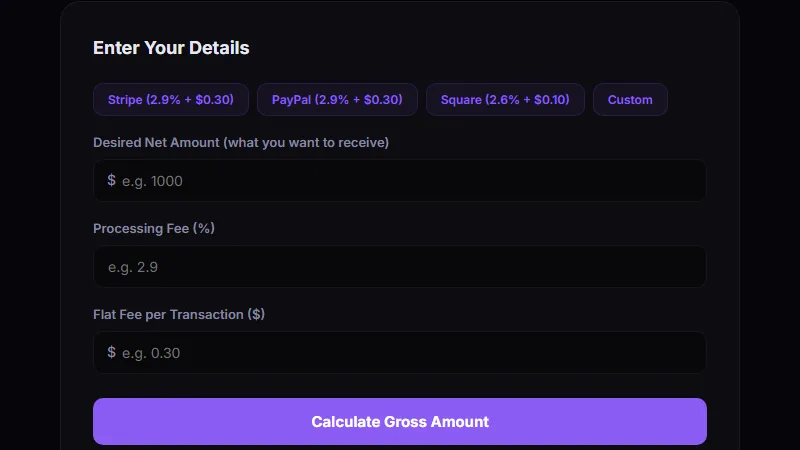
Invoice gross-up is a simple mathematical adjustment that ensures you never lose money to payment processing fees. The formula is straightforward — Gross = (Net + Flat Fee) / (1 − Percentage Rate) — but most freelancers get it wrong by adding the percentage instead of dividing. Using the correct calculation preserves your margins, makes your pricing more predictable, and eliminates the hidden cost of accepting card payments. For quick calculations without the math, use the Invoice Gross-Up Calculator to get the exact gross charge for any net amount, processor, and rate combination.
Try the Invoice Gross-Up Calculator
Enter your desired net amount and see the exact gross charge needed for Stripe, PayPal, or Square fees. No math required.
Calculate Gross-Up →