How to Use Discord Timestamps: Complete Guide
Discord timestamps let you display dates and times that automatically convert to each viewer's local timezone. In this guide, we'll cover everything you need to know — from the basic syntax to all 7 format styles and best practices.
What Are Discord Timestamps?
A Discord timestamp is a special code that you paste into a chat message. When sent, Discord renders it as a human-readable date and time. The magic is that it shows differently for each person based on their own timezone settings.
For example, if you're planning an event at 3:00 PM EST, someone in London will see it as 8:00 PM BST automatically. No more "what time is that in my timezone?" confusion.
Timestamp Syntax
The basic format is:
To add a style (format), append a colon and a letter:
The UNIX timestamp must be in seconds (not milliseconds). You can get the current Unix timestamp from many online converters — or just use our Discord Timestamp Generator to create codes instantly.
All 7 Timestamp Styles
| Style | Letter | Example Output | Best For |
|---|---|---|---|
| Short Time | t | 3:00 PM | Quick time references |
| Long Time | T | 3:00:00 PM | When seconds matter |
| Short Date | d | 05/24/2026 | Compact dates |
| Long Date | D | May 24, 2026 | Formal date display |
| Short Date/Time | f | May 24, 2026 3:00 PM | General purpose |
| Long Date/Time | F | Sunday, May 24, 2026 3:00 PM | Event announcements |
| Relative | R | 2 hours ago | Countdowns and recency |
Which Style Should You Use?
- :F (Long Date/Time) — Best for event announcements. Shows the full day name, date, and time.
- :R (Relative) — Perfect for countdowns. Shows "in 3 hours" or "2 days from now" and updates automatically.
- :f (Short Date/Time) — The best general-purpose format. Shows date and time without the day name.
- :d (Short Date) — Great for quick date references when time doesn't matter.
How to Create Timestamps
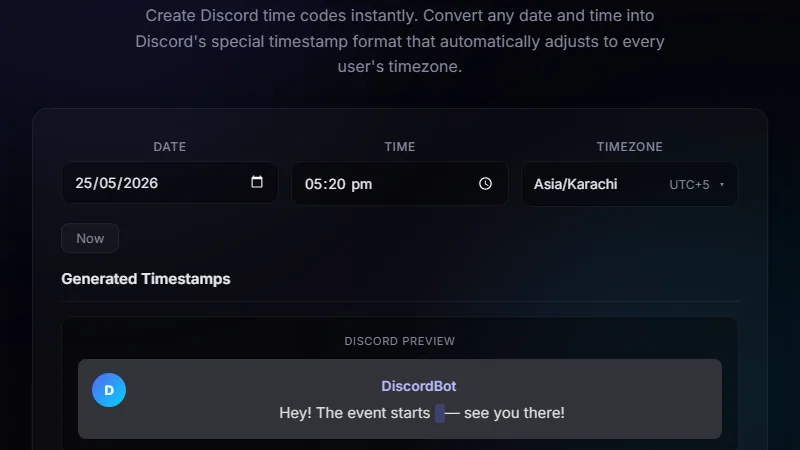
The easiest way is to use our Discord Timestamp Generator:
- Pick your date and time
- Select your timezone
- Choose one or more format styles
- Copy the generated code
- Paste it into your Discord message
You can also generate timestamps manually by converting a date to a Unix timestamp (in seconds) and wrapping it in <t:TIMESTAMP:STYLE>.
Do Timestamps Work on Mobile?
Yes! Discord timestamps work on every platform — desktop app, web browser, iOS, and Android. They're a native Discord feature that's supported everywhere.
Can You Edit a Timestamp?
Yes. You can edit the message and update the timestamp code. Once you save the edit, Discord will re-render the timestamp with the new value. The old timestamp disappears and the new one shows instead.
Common Use Cases
- Event planning — Announce server events, game nights, or streams with :F or :f
- Countdowns — Use :R to show how long until something starts
- Deadlines — Mark submission deadlines in project channels
- Birthdays — Celebrate with a well-formatted date using :D
- Global teams — Schedule meetings that everyone sees in their own time
Try the Discord Timestamp Generator
Create timestamp codes instantly — no manual Unix conversion needed.
⏰ Use the Generator →