Date Difference — Exact Days, Months, and Years Between Any Two Dates
What It Solves
How many days between March 15 and August 22? How many business days are left before a project deadline? What is someone's exact age in years, months, and days? Calculating date differences seems simple — subtract one date from another — but the result changes depending on whether you count only the start date, only the end date, or both. The tool standardizes the math so you get consistent results every time, with options for calendar days, business days (excluding weekends), and total counts including or excluding the end date.
The Real Problem
Date math has hidden complexity that most people don't notice until they get it wrong. First, months have different lengths. The span from January 31 to February 28 looks like 28 days but is actually 28 days, while January 31 to March 1 is 29 days. That feels inconsistent because it is — the calendar is irregular. Second, leap years add a day every four years, but century years skip it unless divisible by 400. The year 2000 was a leap year; 1900 was not. Third, business day calculations require knowing which days are weekends. A 10-calendar-day span might contain 6, 7, or 8 business days depending on where the weekend falls. Fourth, legal and financial contracts define "days between" differently — some count inclusively, some exclusively. A 30-day notice period sent on March 1 might be due March 31 (inclusive) or March 30 (exclusive) depending on the jurisdiction.
How to Use It
Pick a start date and an end date using the date pickers. Select whether you want calendar days (all days including weekends) or business days (Monday through Friday only). For business days, you can optionally exclude holidays — the tool has a preset list of major US federal holidays that you can toggle. The result shows total days, business days, and a breakdown into years, months, and days. If you need the age of a person, enter their birth date as the start and today as the end. The tool handles dates from 1900 to 2099.
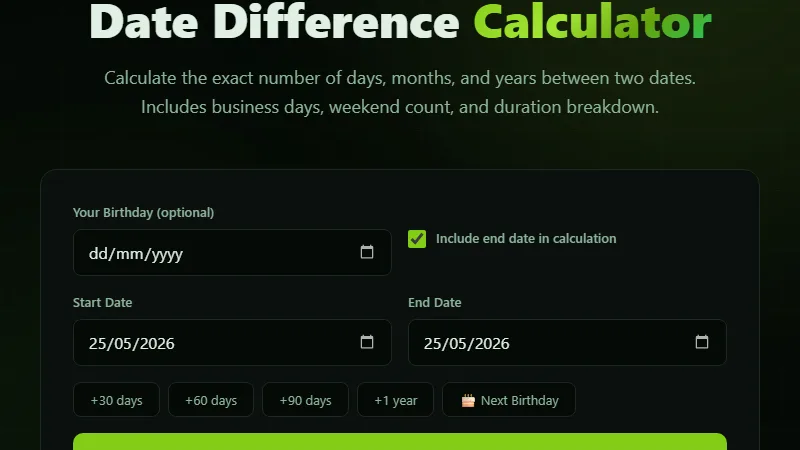
Calendar days: 106 days.
Business days: 76 (excluding 30 weekend days).
Year-month-day breakdown: 3 months, 14 days.
Inclusive count: 107 days if both start and end are counted.
The tool shows both inclusive and exclusive counts so you can pick the one your situation requires.
Project Deadline Planning with Business Days
Project managers constantly estimate how many working days are available between now and a deadline. A task due in 4 weeks (28 calendar days) actually has only 20 business days if the weeks are Monday-Friday. If a federal holiday falls in that window, it's 19. The tool's business day mode subtracts weekends and holidays automatically. A marketing campaign starting October 1 and launching November 15 has 46 calendar days but only 32 business days — and that's before removing Thanksgiving (if in the US). The tool accounts for the holiday so you don't schedule a launch on a day when half the team is out. For international projects, the tool's default holiday list is US-centric, but you can manually exclude additional dates as needed.
Contract and Legal Date Counting
Leases, loans, and legal notices specify durations in days but don't always define the counting method. A 60-day notice period starting January 1 could be March 1 (if you count January 1 as day 1) or March 2 (if you exclude the start date). The tool shows both inclusive and exclusive results. In real estate contracts, the difference of one day can determine whether a closing deadline is met or missed. Financial instruments calculating interest accrual use actual day counts divided by 360 or 365 depending on the convention (30/360, actual/360, actual/365). The tool's total days output gives you the raw number you can plug into any interest calculation formula. For bonds using 30/360 convention, you'd still use a dedicated financial calculator, but for simple accrual the day count is the starting point.
Limitations
The tool calculates the span between two dates but does not account for time of day. For precise age calculations including hours and minutes, use the age calculator. The business day mode excludes Saturdays and Sundays by default; if your work week is different (Sunday-Thursday in some countries), the tool's standard weekend definition won't match. The holiday list is limited to US federal holidays and doesn't include regional, religious, or international holidays. You can exclude individual dates manually, but there is no bulk import for custom holiday calendars. The tool also does not handle historical calendar changes — dates before the adoption of the Gregorian calendar in your region may produce inaccurate results for very old dates.
FAQ
Does the tool count the start date or the end date?
It shows both. The "inclusive" result counts both the start and end date. The "exclusive" result counts only the days in between. Most legal contracts use exclusive counting, while informal use (like "how many days until my birthday") usually expects inclusive.
How are leap years handled?
Leap years are automatically detected and accounted for. February 28, 2023 to February 28, 2024 is 366 days (leap year); February 28, 2024 to February 28, 2025 is 365 days. The tool uses JavaScript's native date handling, which correctly implements the Gregorian calendar rules.
Can I calculate the difference between dates in different years?
Yes — the tool handles any date range from 1900 to 2099. The year-month-day breakdown splits the result into whole years, remaining months, and remaining days. For a span of March 15, 2020 to September 10, 2026, the result is 6 years, 5 months, 26 days.
What counts as a business day?
Monday through Friday, excluding weekends. The tool optionally excludes US federal holidays: New Year's Day, MLK Day, Presidents Day, Memorial Day, Juneteenth, Independence Day, Labor Day, Columbus Day, Veterans Day, Thanksgiving, and Christmas. Toggle the holiday exclusion on or off as needed.
Why is the year-month-day breakdown not exact?
Because months have different lengths, the breakdown uses an average convention: count whole years, then whole remaining months, then remaining days. January 31 to March 1 gives "1 month, 1 day" even though it's 29 days total. The "total days" number is always exact — use that for precise calculations instead of the broken-down format.
Conclusion
Use this tool when you need the exact number of days between two dates for project planning, contract compliance, countdown tracking, or determining someone's age in years, months, and days. It's most valuable when the date range spans multiple months or years where mental math becomes unreliable. Don't use it when you need time-of-day precision — use the age calculator or time duration calculator instead. For recurring date patterns like "every 2 weeks" or the third Thursday of each month, a recurring date generator is more appropriate. The tool is a single-span calculator optimized for accuracy across months, leap years, and business day exclusions.
For age calculations down to seconds or planetary age equivalents, the exact age calculator provides the full breakdown, and the time duration calculator handles hour-minute-second precision for same-day or overnight spans.
← Back to Blog